Drawing Carnival
- 4.4
- Rating
- 10.00M
- Installs
- Free
- Price
 Analysis by App-foxy
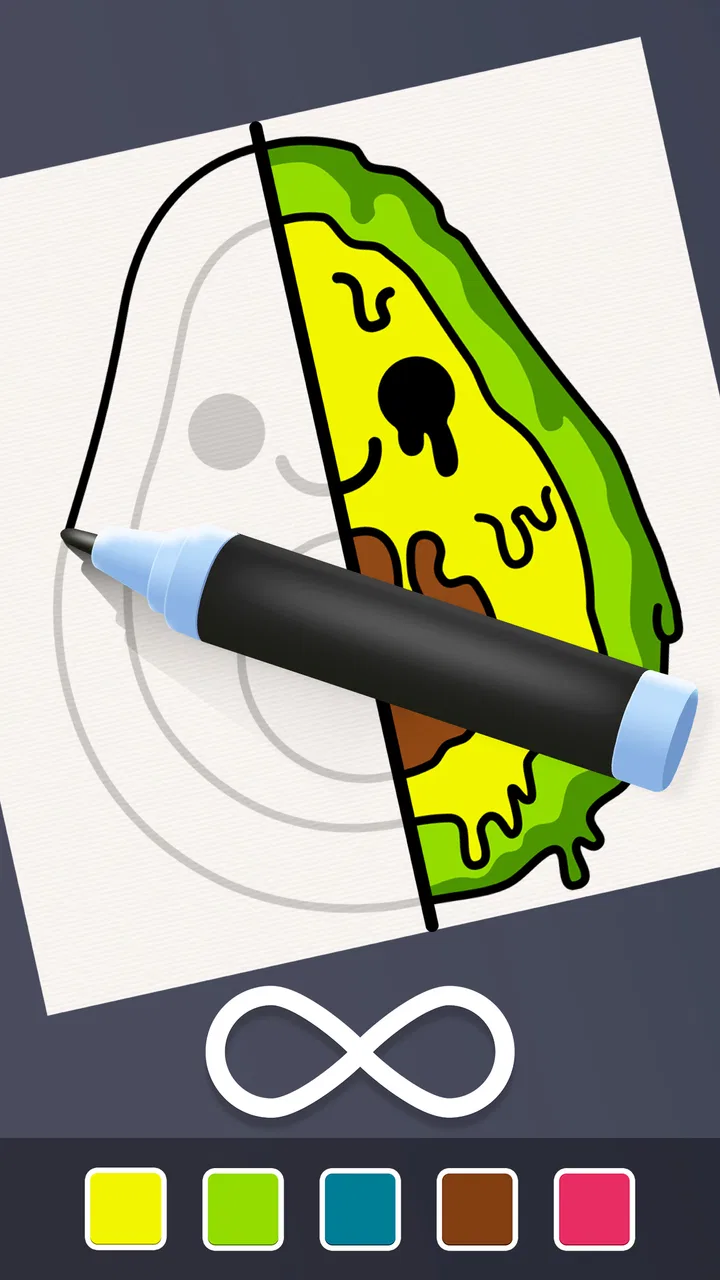
Drawing Carnival is the kind of coloring simulation game I open when I want something gentle, simple, and easy to understand within a few seconds. Instead of asking me to manage a complicated world or learn a long list of rules, it puts the focus on filling playful pixel-style drawings with color. That makes it a comfortable choice for short breaks, especially when I want a quiet activity rather than a competitive challenge.
My first impression is that the game is built around a very approachable loop: choose a picture, follow the coloring areas, and gradually turn a plain outline into a finished image. The combination of doodle art, pixel-inspired visuals, and drawing sounds gives it a tactile quality, even though the interaction itself remains straightforward. I would recommend it to someone who enjoys digital coloring but does not want the pressure of creating artwork entirely from a blank canvas.
How the everyday coloring workflow feels
The basic routine is easy to settle into. I select an illustration, look for the uncolored sections, and work through them one by one. That structure is useful because it removes the hardest part of casual drawing: deciding what to make. The game gives me a defined image and a clear visual task, so I can concentrate on matching areas and watching the picture become complete.
You May Also Like

 Blood Strike: 2.5 Anniversary
Blood Strike’s Loadouts Turn Every Drop Into a Tactical Gamble
A close look at Blood Strike’s custom loadouts: how fast access to signature weapons reshapes its battle royale rhythm, rewards preparation, and narrows the gap between fights.

 Pandora - Music & Podcasts
Pandora’s Music Is Easy to Start, but Harder to Recover
Pandora’s strength is its low-effort path from a seed to a station. Its weak spot is how much confidence it asks you to place in connection, setup, and quiet recovery.

 8 Ball Pool
 Is Built on Rivalries, Rematches, and Routine
A close look at the rivalries, rematches, shared routines, and unanswered safety questions that turn a quick pool match into a persistent mobile community.

 Samsung Music
’s Quiet Strength Is Playing What You Already Own
Its reach comes less from spectacle than from dependable access to a personal library. That simplicity is both the app’s strongest retention engine and its ceiling.

 AccuWeather: Weather Radar
AccuWeather Review: A Quick, Clear Forecast for Everyday Decisions
For everyday plans, the best forecast is the one you can understand quickly. AccuWeather makes rain timing, radar, and local conditions easy to act on, with a few trade-offs.

 Hill Climb Racing
Why Hill Climb Racing Still Turns Crashes Into One More Run
A tiny car, a bumpy hill and one more upgrade: Hill Climb Racing keeps resurfacing because its simple chaos makes every near-miss feel personal.
More From Our News Desk



That makes Drawing Carnival particularly suitable for a short evening break. If I have a few minutes after checking messages or waiting for an appointment, I can start a page without needing to remember a complicated objective. The experience is also friendly for younger players because the content rating is Everyone, although an adult may still want to look at the device’s general purchase controls before handing it over.
The pixel-art presentation changes how I approach the pictures. I am not trying to produce soft, realistic shading or carefully blended brushwork. Instead, the appeal comes from clean blocks of color and the satisfaction of completing small sections. I find that this gives the game a more methodical rhythm than a traditional freehand sketching app. It feels closer to filling a visual puzzle than practicing illustration.
The drawing sounds are another part of the experience. They are meant to make each action feel more immediate, and they can add a pleasant sense of progress when I am filling many small areas. Still, sound is personal. I enjoy it during a relaxed session, but I would turn the device down in a quiet room or while listening to something else. The visual activity works without needing constant audio attention.
One useful habit is to avoid rushing straight toward the largest areas. I usually begin with a few smaller sections, because finishing them quickly gives me a clearer view of the image and helps me understand the color pattern. After that, I move through larger blocks in a steady order. This is not a complex strategy, but it prevents the screen from feeling visually cluttered and makes the progress easier to follow.
Another practical approach is to use the edges of a drawing as landmarks. When several areas look similar, I work from the outside toward the center or follow one recognizable object at a time. That keeps me from repeatedly scanning the entire picture. Experienced players will probably appreciate this more than someone who only wants to tap randomly, because the game becomes smoother when I create my own repeatable route through each page.
What to check before settling into a session
Drawing Carnival does not require a long preparation routine, but I still think a few small checks improve the experience. I first look at the device’s sound level, especially if I am using the game in a shared space. The coloring itself is quiet enough to be flexible, while the ASMR-style feedback can become more noticeable over time.
I also pay attention to how I hold the phone or tablet. Small pixel sections are easier to handle when I keep the device stable rather than trying to play while walking or carrying something. On a larger screen, the individual areas may feel more comfortable to follow. On a phone, I prefer short sessions because repeated tapping in tiny spaces can become less relaxing if I am already tired.
There is no need to treat every page like a race. I get more from the game when I let the image guide my pace. A quick session can focus on visible progress, while a longer one can be divided into groups of related areas. For example, I might complete the background first, then the main character, and finally the small decorative details. This creates natural stopping points if I need to put the device down.
The settings are worth checking for comfort rather than for deep customization. In particular, I would review any available audio controls and the device’s own display settings before beginning a longer session. Lowering brightness in a dark room can make the game easier on the eyes, while keeping enough brightness to distinguish neighboring color sections is important. The best balance depends on the screen and the room, so I would adjust it instead of assuming the default is ideal.
Because this is a free game, I also keep an eye on the way optional purchases fit into my use. The listed in-app purchase price is $2.99 per item. That does not automatically make the game poor value, but it does mean I would decide in advance whether I am happy to play within the free flow or spend on something that catches my interest. I would not make purchases simply to speed through a relaxing activity; the point for me is the process, not finishing as quickly as possible.
The game comes from CrazyLabs LTD and is available at no upfront cost. It has reached over 10 million installs and holds a 4.4 average from around 112 thousand ratings, which suggests that the accessible coloring format has found a broad audience. Those figures do not replace personal testing, but they do make sense when I consider how quickly the main interaction can be understood.
Faster patterns that still keep the activity relaxing
Once I understand the basic flow, I can make each session more efficient without turning it into a stressful task. My favorite pattern is to scan the whole picture before tapping. I look for repeated colors, narrow sections, and areas that are likely to be hidden by larger objects. This gives me a mental map and reduces the number of times I stop to search for the next unfinished spot.
I also use a consistent direction. Moving from the upper portion downward, or from one side across the image, is usually easier than jumping between unrelated details. The advantage is not just speed. A fixed direction reduces repeated visual checking, which is useful when the artwork contains many small pixel blocks that look alike.
For larger illustrations, I divide the page into zones. I might finish the left side, then the center, then the right side, rather than chasing every matching color across the entire screen. This method is especially helpful when I am interrupted. When I return, I can immediately see which zone I was working on instead of trying to reconstruct my previous route.
A second efficient habit is to leave the visually important details until the end. Main outlines, faces, symbols, or central objects often make the picture recognizable, so completing them last gives the final stage a stronger sense of payoff. I do not use this on every page, but it works well when I want the ending to feel more deliberate rather than simply reaching the last available tap.
There is also a useful trade-off between speed and accuracy. Tapping rapidly can make a page feel productive, but it may cause me to overlook small unfinished areas. Slowing down around borders and corners usually saves time later because I do not need to search for missed pieces. In my experience, the quickest overall workflow is controlled rather than frantic: scan, choose a zone, complete it, and then inspect the image before moving on.
These habits are more valuable than trying to invent complicated techniques. The game’s appeal comes from its simplicity, so an experienced player should improve organization rather than fight the design. I would not expect a deep shortcut system or a professional drawing workflow here. The useful advantage comes from how I arrange my attention and how I use natural visual landmarks.
Where the simple design reaches its limits
The same simplicity that makes Drawing Carnival welcoming can also limit its appeal. If I want full artistic control, layered editing, custom brushes, or a blank canvas, I would choose a dedicated drawing application instead. This game is about completing prepared pictures, not developing an illustration from the first stroke to the last.
It is also not the right choice for someone looking for a demanding simulation with long-term planning or complex decision-making. The simulation label describes the coloring activity, not a detailed management system. I would choose a different game if my goal were to build, strategize, compete, or constantly unlock new mechanics through difficult play.
Repetition may become noticeable for players who spend long sessions with it. The core action remains tapping and coloring, so the game’s enjoyment depends heavily on whether that loop feels satisfying to you. I can play it comfortably in short bursts, but I would not expect the same level of variety I might find in a large adventure game or a full creative suite.
The purchase structure is another point to consider. Since optional items cost $2.99 each, someone who wants access to every appealing addition should think about the total rather than judging a single item in isolation. For my use, the best approach is to treat the free experience as the test: if the basic coloring rhythm does not hold my attention, buying extras will not solve that problem.
Device compatibility is fairly broad, with a minimum operating system of Android 7.0. The current version is 2.4.1.3, so I would keep the app updated when possible for the intended current experience. I still prefer checking how comfortably the artwork fits my particular screen, because the difference between a compact phone and a larger tablet can affect how pleasant small sections are to complete.
Parents and casual users may also want to establish simple boundaries around play time and purchases. The Everyone rating makes the game easy to consider for a wide audience, but age suitability and spending habits are separate questions. I would disable or protect purchase confirmation on a shared device if children are using it, and I would encourage breaks during longer coloring sessions.
Who will enjoy it most
I think Drawing Carnival is strongest for people who want a low-pressure activity with a clear beginning and end. It suits someone who likes coloring books, pixel art, or small completion-based tasks but does not want to learn drawing technique. It can also work well as a wind-down game because the objective is easy to understand and the feedback makes each completed section feel tangible.
It is a good fit for a commuter waiting for transport, a student taking a short mental break, or anyone who wants something more interactive than scrolling but less demanding than a competitive game. In an everyday scenario, I might open it while waiting for an appointment, complete one manageable portion, and close it without feeling that I have abandoned a complicated mission. That ability to stop cleanly is one of its practical strengths.
I would be more cautious recommending it to an artist who wants to practice composition, color theory, or hand control. The prepared pixel drawings reduce creative freedom, which is exactly why they are approachable. Someone looking for a serious digital sketchbook will get more from an app designed around brushes, layers, and original canvases.
Compared with a traditional coloring app, this game feels more game-like because of its focused pixel sections and action feedback. Compared with a freehand drawing app, it is much easier to start but far less expressive. Compared with a puzzle game, it offers a calmer form of progress and does not ask me to solve a difficult logic problem. That middle position is where it makes the most sense.
My verdict after building a repeatable routine
After using a consistent scan-and-zone approach, I find Drawing Carnival more satisfying than when I simply tap whichever area catches my eye. The game rewards attention to the image, even though it does not demand advanced skill. Checking sound and display comfort, dividing larger pictures into sections, and leaving key details for the closing stage make the experience feel more polished without pretending it is deeper than it is.
Its strengths are clear: the entry point is friendly, the coloring loop is easy to pause, the pixel-art style gives the pages a distinct identity, and the drawing feedback adds a pleasant sensory touch. The limitations are equally clear: the activity can become repetitive, creative control is narrow, and optional purchases require sensible boundaries.
CrazyLabs LTD has made a free simulation game that works best when I treat it as a compact relaxation tool rather than a full art program. With a 4.4 average and more than 10 million installs, it has plenty of reach, but the real question is whether you enjoy methodically completing prepared images. I would recommend trying it if that sounds appealing.
My final recommendation is simple: choose Drawing Carnival for calm, structured coloring in short sessions, and skip it if you need open-ended drawing, serious artistic practice, or complex gameplay. For the right player, its straightforward routine is not a weakness; it is the reason the game is so easy to return to.
FAQs for Drawing Carnival
01What is Drawing Carnival and what can I do with it?
Drawing Carnival is a creative app designed for both beginners and experienced artists. It offers a wide variety of tools, including brushes, pencils, and colors, allowing users to sketch, paint, and design intricate artwork. The app also features tutorials and challenges to inspire creativity and improve skills.
02Is Drawing Carnival suitable for children?
Yes, Drawing Carnival is suitable for children and includes a user-friendly interface that is easy to navigate. It offers child-friendly features like guided tutorials and simple drawing tools, ensuring a fun and educational experience. Parents can monitor their child’s progress and creativity through the app’s gallery feature.
03Do I need an internet connection to use Drawing Carnival?
Drawing Carnival can be used both online and offline. While an internet connection is required to download the app, access community features, and participate in challenges, users can enjoy creating and saving their artwork offline, making it convenient for use anywhere.
04Are there any in-app purchases or subscriptions in Drawing Carnival?
The app offers a free version with basic tools and features. However, there are optional in-app purchases and subscription plans available that unlock advanced tools, additional tutorials, and exclusive challenges. These options enhance the creative experience but are not necessary for basic use.
05How does Drawing Carnival support learning and skill development?
Drawing Carnival includes a variety of tutorials and challenges designed to enhance artistic skills and creativity. These educational resources cater to different skill levels, providing step-by-step guidance and feedback. Regular updates introduce new content and techniques, ensuring users continually improve and learn new styles.
Pros
- Intuitive and user-friendly interface.
- Wide range of drawing tools available.
- Supports layers for complex artworks.
- Includes tutorials for beginners.
- Regular updates with new features.
Cons
- Ads can be intrusive during use.
- Limited export formats available.
- Some features require in-app purchases.
- Occasional lag on older devices.
- No offline mode available.

Drawing Carnival
Gallery